
FREELANCE EMAIL DESIGNER FOR GROWING BRANDS
Emails Designed to Look Good and Do Their Job
I design on-brand emails that are easy to read, easy to act on, and built around what the email needs to do.



Hi, I’m Paulina
After 15 years in design, I somehow still really like designing emails.I started out as a graphic designer and moved into email about 10 years ago. Since then, I've designed for brands including L'Oréal, Lancôme, Hale Bob and Buffbunny, both in-house and freelance.I think what kept me interested is how much you have to do in such a small space. An email has to look like the brand, make sense quickly, work on a phone and give someone a reason to click. I genuinely enjoy figuring all of that out.
FREE GUIDE
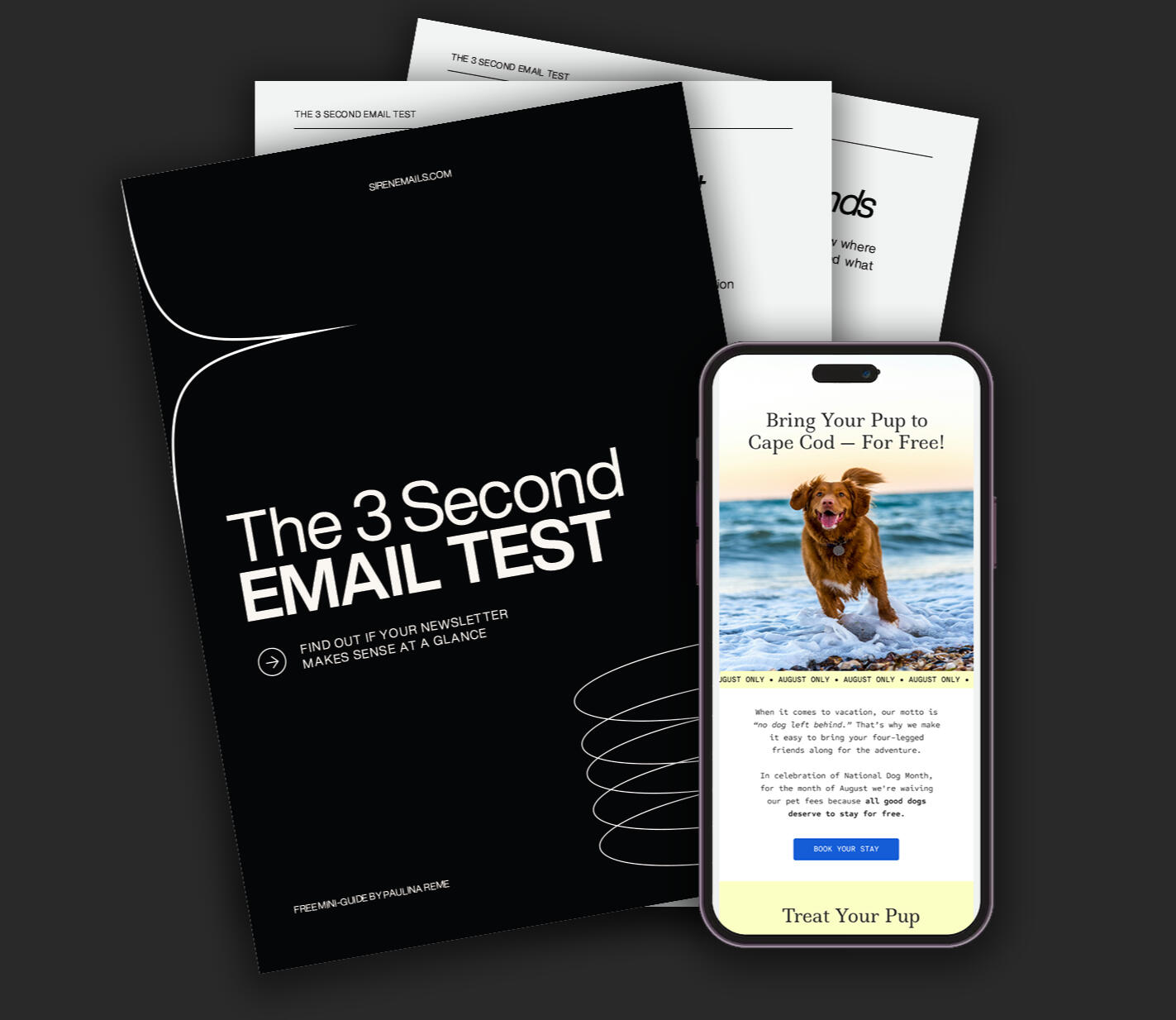
Does Your Email Pass the 3-Second Test?
A free mini-guide for spotting what's getting lost in your email before you send it.
WORK WITH ME
Need Help With
Your Emails?
I work with brands and agencies on everything from one-off campaigns to ongoing email design. If you want someone who can take a brief and turn it into a finished email, I'd love to hear about your project.
EMAIL DESIGN WORKSHOP
Stop Guessing Your Way Through Email Design
Learn how to design clear, polished emails without second-guessing every decision. For designers, freelancers and business owners who want to know what actually works in an inbox.

From “something feels off” to knowing what to change
You’ve been looking at the email for ages and something isn’t right. Maybe the headline feels too big. Maybe the spacing is weird. Maybe the image just isn’t working. So you start moving things around and hoping something clicks.This workshop helps you work out what’s actually wrong and what to change.
Learn what to look at when a design just isn’t working.
See what should come first and where everything else should sit.
Know what needs to change on a smaller screen.
Spend less time tweaking things that were fine in the first place.
What you’ll get better at
Layout that
makes sense
Know where to start, what goes where and when there’s simply too much going on.
Type that
feels right
Get better at sizing, spacing and arranging type so it’s easy to read.
CTAs that are
easy to find
Make the next step clear without making the button scream for attention.
Is this workshop
for you?
If you’ve ever looked at an email and thought “I know this could be better, I just don’t know what to change,” you’re in the right place.
You’re learning design and want to get better at email
You design for clients and email still feels a little uncertain
You create emails for your own business
You spend too long tweaking because you can’t work out what looks wrong
You want your emails to feel more polished and easier to read
Learn what to
look for
When something isn’t working, you need to know where to look first. This workshop takes you through the parts of an email one by one, with real examples along the way.
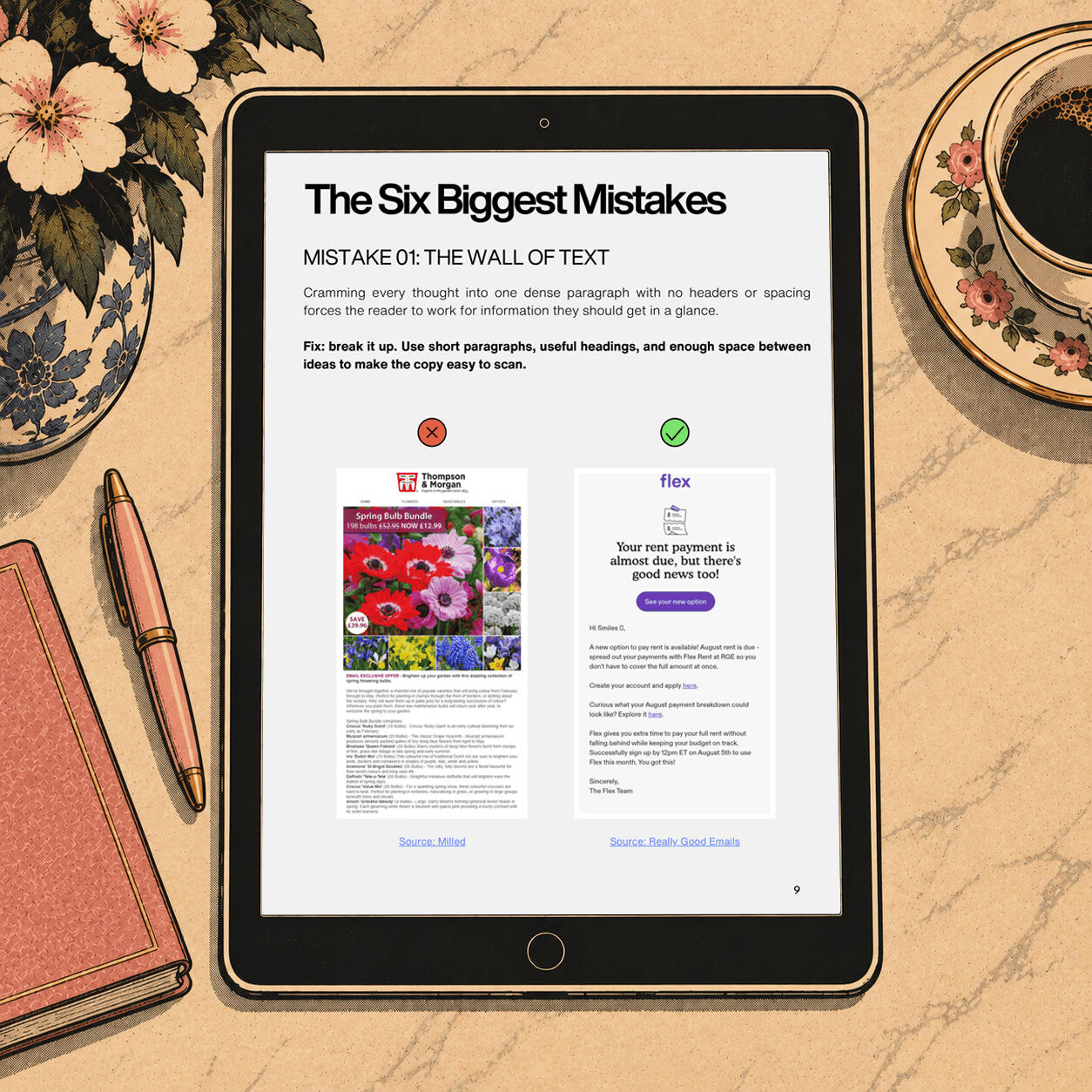
Modules 1-2: Start with the structure
Learn how to put an email together so it feels clear, balanced and easy to follow. We’ll look at hierarchy, spacing, mobile layouts, headers, footers and how color can help organise the page.
You’ll learn:
How to build a clear hierarchy
How to use spacing to organise an email
How to design with mobile in mind
How to use headers, footers and color without cluttering the layout
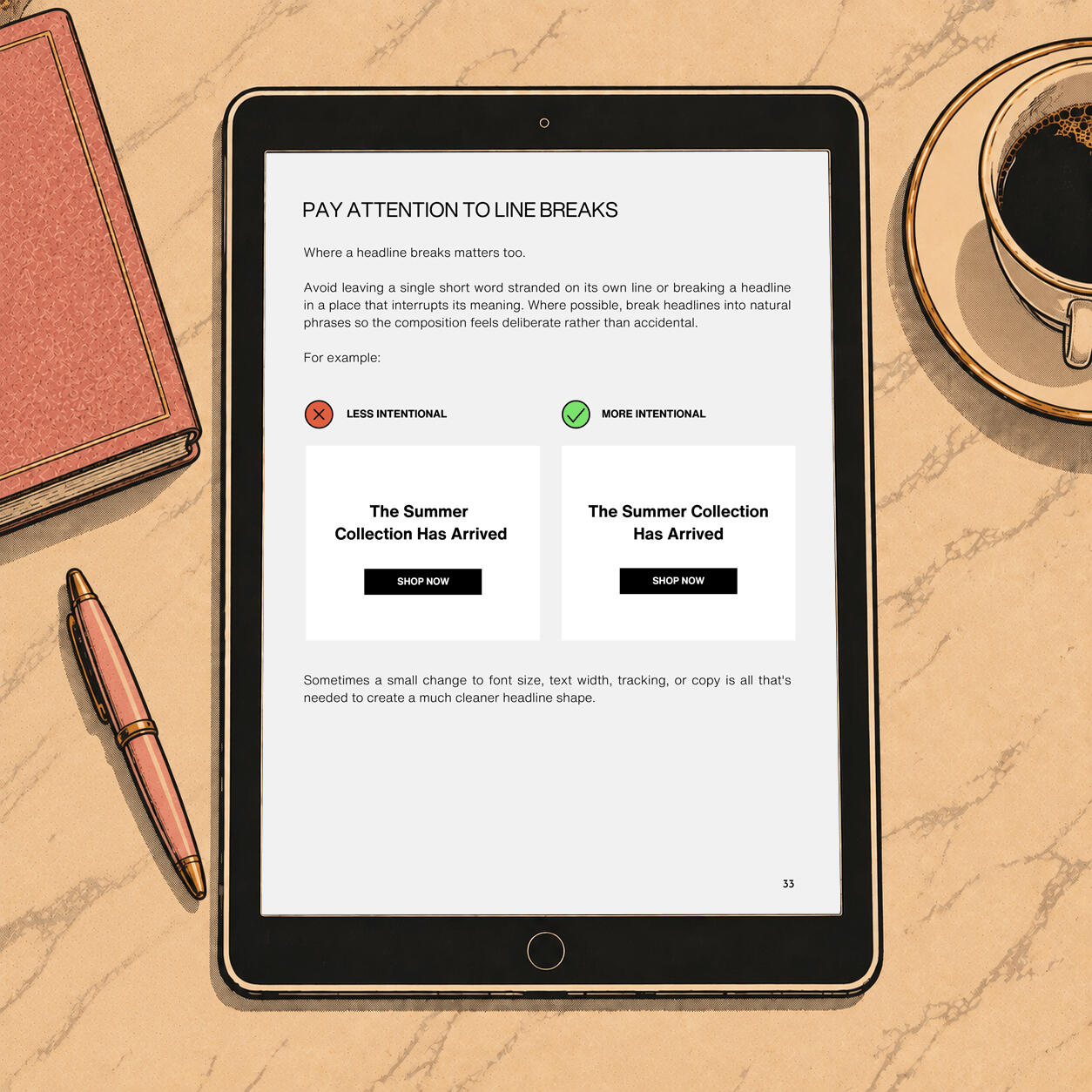
Module 3: Get the type right
Typography can make an email feel polished or make the whole thing harder to read. You’ll learn how to work with font size, spacing, alignment and hierarchy without getting stuck on exact numbers.
You’ll learn:
How to size headlines and body copy
How to make longer copy easier to read
How to choose fonts and fallbacks that still look good
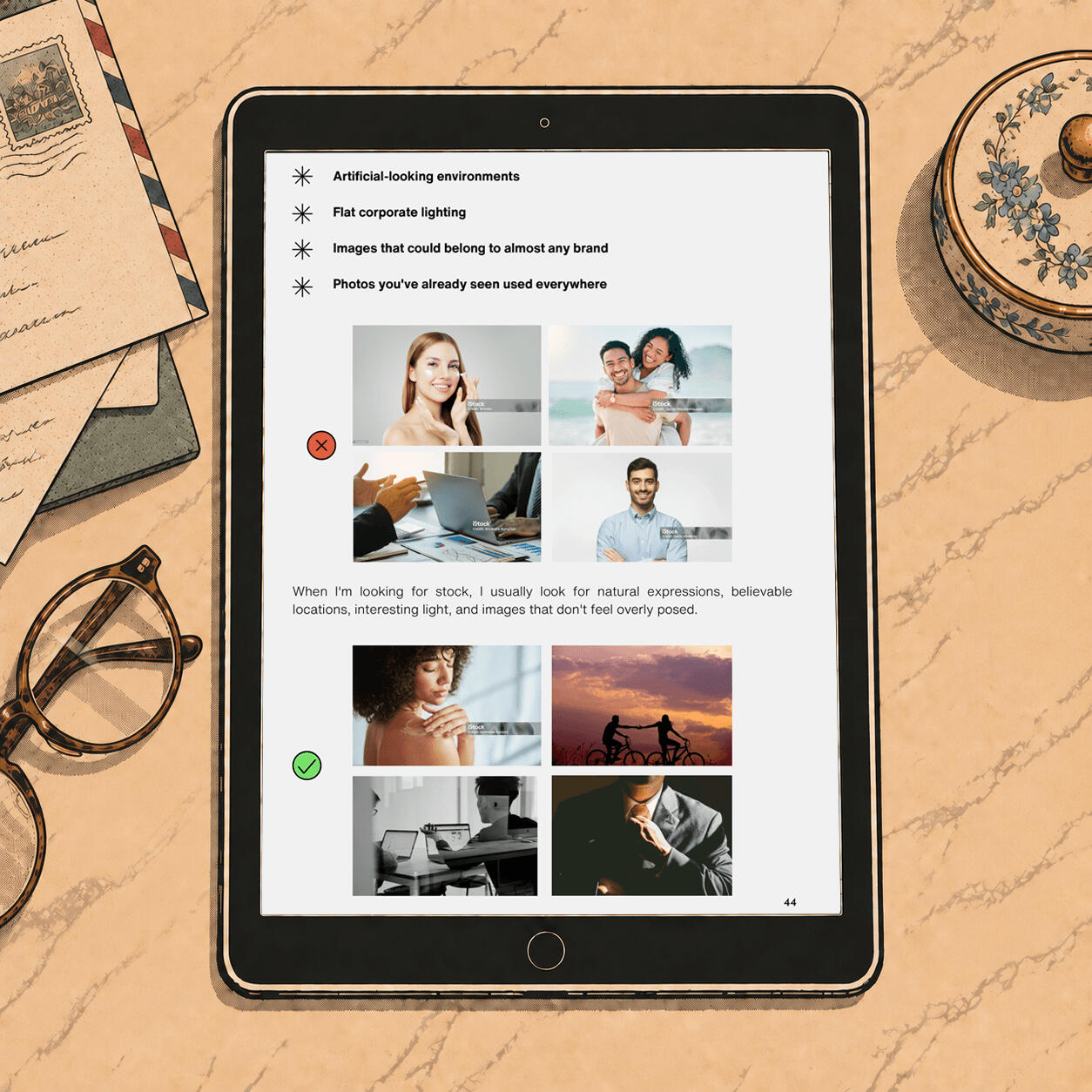
Module 4: Choose better images
A beautiful image can still feel wrong once it’s inside the email. This module helps you choose images for the job they need to do, then crop and place them so they work with the rest of the design.
You’ll learn:
When to use lifestyle or product photography
What makes a strong hero image
How to crop images so they still work on mobile
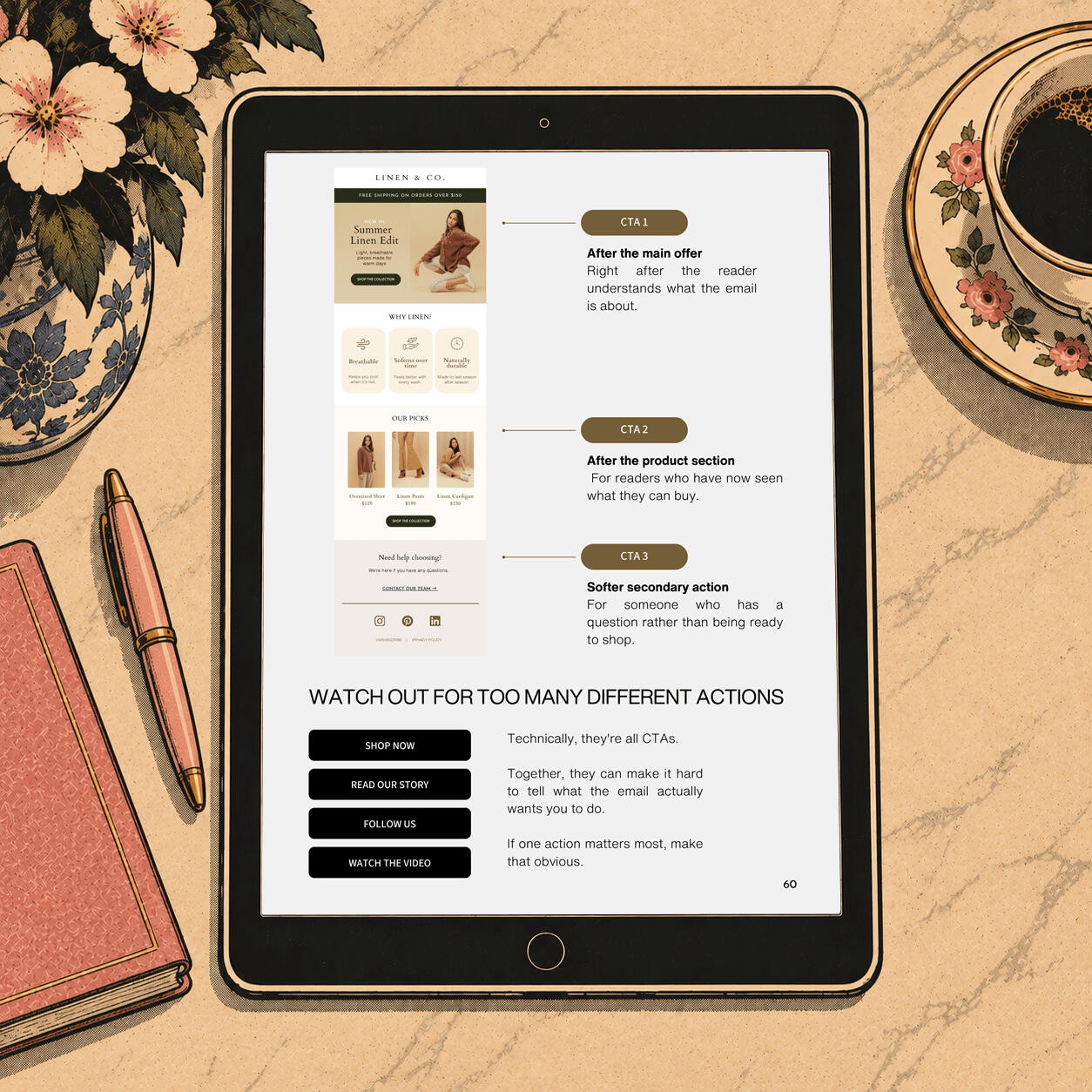
Modules 5-7: Put it all together
Learn how to make the next step easy to find, then see the ideas from the workshop applied to real emails. You’ll finish with a checklist you can use to catch problems before an email goes out.
You’ll learn:
How to place, style and write clearer CTAs
How to spot what isn’t working in a real email
What to check before you call the design finished
What’s included
77-page PDF workshop
Email Design Checklist
Real email breakdowns
Instant download, lifetime reference
What I wish I had
when I started
I learned email design by doing a lot of it. I got things wrong, changed them, saw what worked better and slowly built a process I could rely on.This workshop puts that process in one place.
Email Design Workshop
$69
*one-time payment
77-page PDF workshop
Email Design Checklist
Real email examples and breakdowns
Resources and tools I actually use
Yours to keep and revisit anytime
Frequently Asked Questions
Who is it for?
Designers, freelancers and business owners who want to get better at designing marketing emails. It’s especially useful if you often know an email could be better, but you’re not sure what needs changing.
Is this a beginner design course?
No. It doesn’t teach basic design software or general design theory from scratch. The focus is on email and the decisions that make it feel clear, polished and easy to use.
What software do I need?
There’s no required software. You can use the principles in Canva, Figma, Photoshop or whatever design tool you already work in.
Is this a video course?
No. It’s a self-paced PDF workshop you can read through once or keep open while you work.
How do I get access?
You’ll be able to download it immediately after purchase.
Can I get a refund?
Because this is a digital product available to download immediately, refunds are not normally offered once you've accessed or downloaded it. This doesn't affect any rights you have under applicable consumer law.

Hi, I’m Paulina
After 15 years in design, I somehow still really like designing emails.I started out as a graphic designer and moved into email about 10 years ago. Since then, I've designed for brands including L'Oréal, Lancôme, Hale Bob and Buffbunny, both in-house and freelance.I think what kept me interested is how much you have to do in such a small space. An email has to look like the brand, make sense quickly, work on a phone and give someone a reason to click. I genuinely enjoy figuring all of that out.
THE 3-SECOND NEWSLETTER TEST
Does Your Email Pass the 3-Second Test?
Download the free mini-guide and learn the quick check I use to spot what's getting lost before an email goes out.
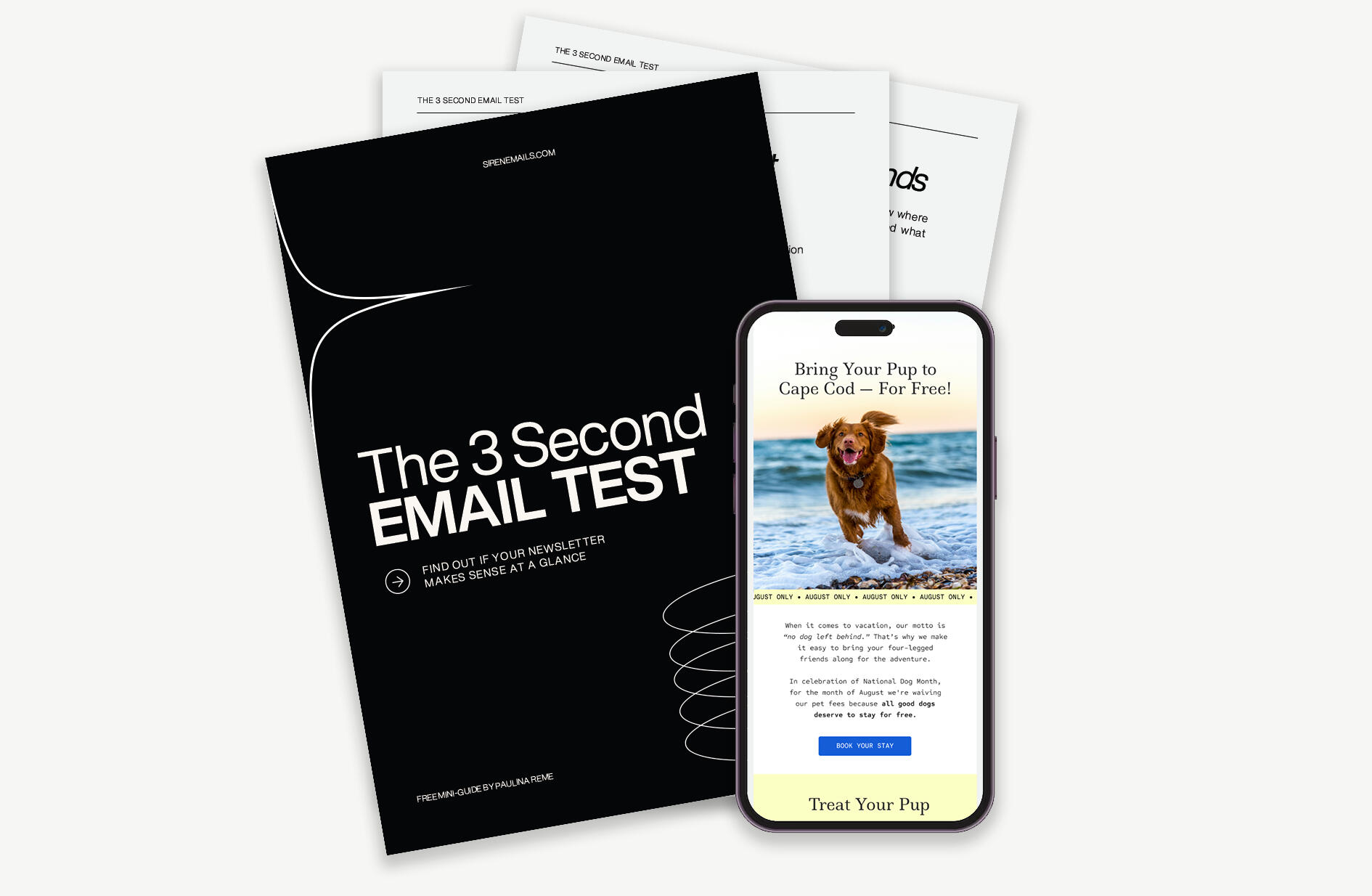
YOU'LL GET A QUICK TEST YOU CAN USE ON ANY EMAIL
Give me 10 minutes and I’ll show you how to:
BEFORE / AFTER EXAMPLE
See the difference a few changes can make
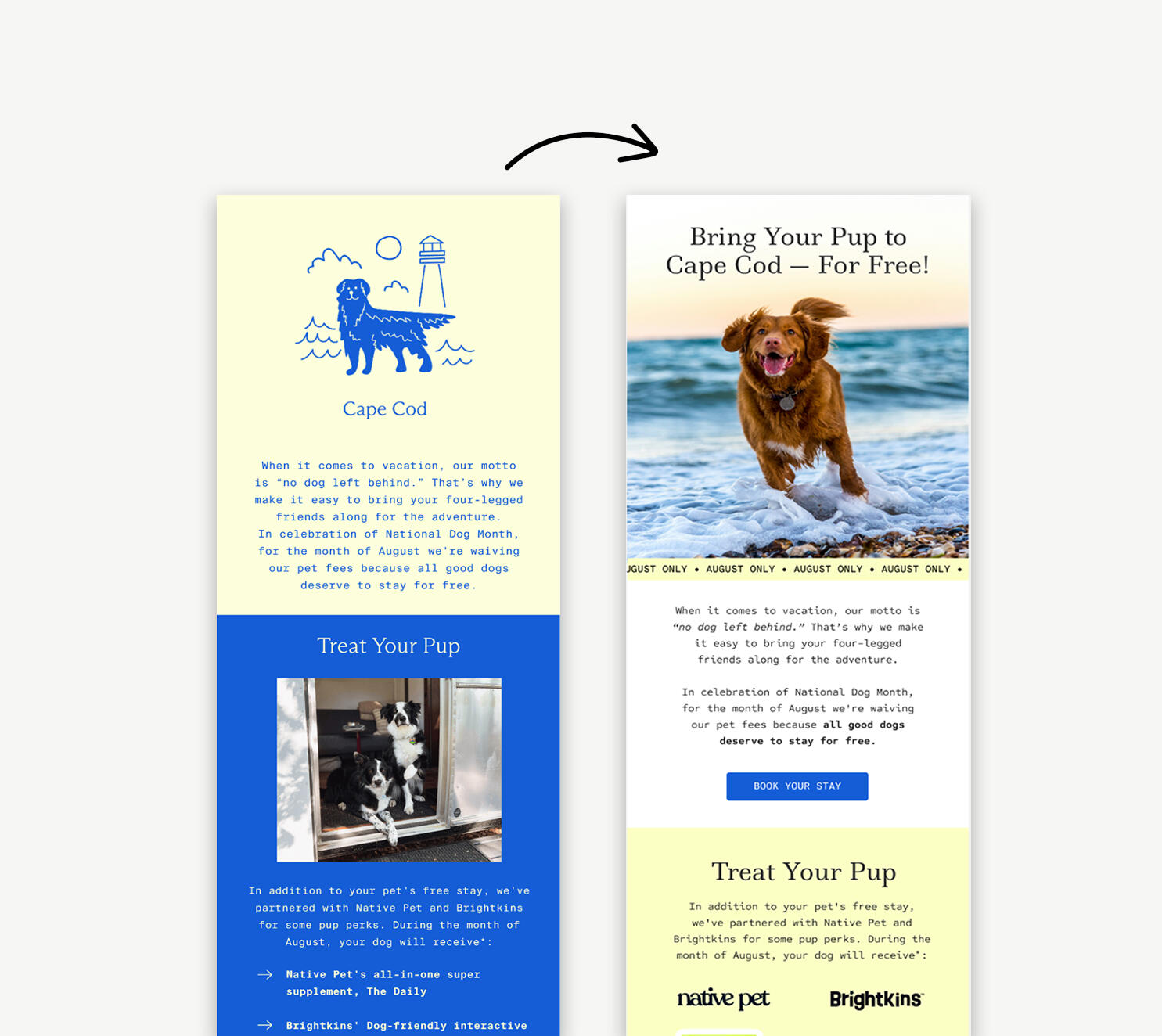
Same offer. Much easier to understand.
I break down exactly what I changed inside the guide.

Who made this?
Hi, I'm Paulina. I’ve been a designer for 15 years, with the last 10 focused on email. The 3-Second Test comes from the way I approach my own work: taking a fresh look at the design and checking whether the important parts are actually coming through.I created this guide to show you how to use the same check on your own emails.
READY TO TAKE THE TEST?
Get the free guide

Hi, I’m Paulina
I’ve worked in design for 15 years, and somehow I still really like designing emails. I’ve spent the last 10 years focused on email, working both in-house and freelance with brands across fashion, beauty, wellness and lifestyle.At this point, email is very much my thing. I know the format, I know its limitations, and I know how to make a brand feel like itself in the inbox.
I know how to take a brief and run with it
I’ve spent years designing emails, so I don’t need every decision mapped out for me. I can take a brief, understand the brand and turn it into a newsletter that feels considered from top to bottom.When you work with me, you’re working directly with the designer. I make the decisions, handle the details and take ownership of the work from first draft to final file.I know what to look for, what’s worth questioning and what will actually work in an inbox. My clients come to me because they want someone who knows what they’re doing and can get on with it.
Privacy Policy
Last updated: 19 September 2026This privacy policy explains how Siren Emails collects and uses personal information when you visit this website, download a free resource, get in touch, or purchase a product.Siren Emails is a trading name of Reyman Studio Limited.If you have any questions about this policy or how your information is used, you can contact me at [email protected]
Information I collect
Depending on how you use the website, I may collect:
your name and email address when you fill in a form
information you provide when you contact me about a project
information connected with a purchase
information about how you use the website, where collected through cookies or analytics
I don't collect or store your full payment card details. Payments for digital products are processed through Fourthwall.
How I use your information
I use personal information where necessary to:
send you a resource you've requested
process and provide access to products you've purchased
respond to messages and project enquiries
provide services you've asked for
send marketing emails where you've agreed to receive them
maintain and improve the website
meet legal, accounting and tax requirements
Under UK data protection law, I need a lawful basis for using personal information. Depending on the situation, this may be contract, consent, legitimate interests, or legal obligation.For example, information needed to fulfil a purchase is processed because it's necessary to perform our contract with you. Marketing emails that require your consent are sent on the basis of that consent, and you can withdraw it at any time.
Email marketing
If you choose to subscribe to emails from Siren Emails, your information may be collected through this website or Fourthwall and is managed through MailerLite. Zapier is used to pass subscriber information from Fourthwall to MailerLite.You can unsubscribe at any time using the unsubscribe link at the bottom of an email.Downloading a free resource or purchasing a product does not automatically mean you have agreed to receive unrelated marketing emails unless you choose to subscribe.
Purchases
Digital products are sold and processed through Fourthwall, which acts as the Merchant of Record for these transactions.Fourthwall may collect information needed to process your order, payment, applicable taxes, fraud prevention and access to your purchase.
Services I use
To run this website and provide products and services, personal information may be processed by companies that provide services to Siren Emails. These currently include:Carrd – website hosting and forms
MailerLite – email delivery and subscriber management
Fourthwall – payments, orders and digital product delivery
Zapier – transferring subscriber information between Fourthwall and MailerLite
CookieYes – cookie consent management
Google Analytics – website analytics
Pinterest – website activity, advertising measurement and attribution
How long I keep information
I keep personal information only for as long as it's needed for the reason it was collected, or where I'm required to keep it for legal, tax or accounting purposes.Marketing information is kept until you unsubscribe or otherwise ask for it to be removed, subject to any information that needs to be retained to record your request.Purchase and transaction records may be kept for longer where required for accounting, tax, fraud prevention or legal purposes.
Your rights
Depending on the circumstances, UK data protection law may give you rights over your personal information, including the right to:
ask for a copy of the information held about you
ask for inaccurate information to be corrected
ask for information to be deleted in certain circumstances
restrict or object to certain uses of your information
receive certain information in a portable format
withdraw consent where processing is based on consent
To exercise any of these rights, email [email protected]You also have the right to object to certain processing of your personal information, including direct marketing.The exact rights available depend on the lawful basis being used.
Complaints
If you have a concern about how your personal information is being used, please contact [email protected] first so I can look into it.You also have the right to complain to the Information Commissioner's Office (ICO), the UK's data protection regulator.Information Commissioner's Office
Cookies
This website uses necessary cookies that are required for the site and cookie consent system to work. With your permission, I also use analytics and advertising cookies.Google Analytics is used to understand how people use the website, including which pages are visited and how visitors interact with the site. Google Analytics is only loaded after you consent to analytics cookies.The Pinterest Tag is used to measure visits and actions on the website and to understand how Pinterest marketing performs. I also use Pinterest's Enhanced Match feature, which may use information you provide, such as your email address, to help Pinterest match website activity with Pinterest accounts. This information may be hashed before being sent to Pinterest. Pinterest advertising features are only loaded after you consent to advertising cookies.CookieYes is used to manage cookie consent and remember your cookie preferences. Necessary cookies used for consent management may operate without your consent because they are required for your privacy choices to work.You can accept or reject optional cookies when you first visit the website and change your choices at any time using the consent preferences button.
Changes to this policy
I may update this privacy policy if the website, services I use, or the way I handle personal information changes. The latest version will always be available on this website.
Terms & Conditions
Last updated: 19 September 2026These terms apply when you use the Siren Emails website or purchase a digital product from Siren Emails.Siren Emails is a trading name of Reyman Studio Limited.
If you have any questions, contact [email protected]
Digital products
Siren Emails sells downloadable digital products, including the Email Design Workshop.The product description on the website explains what is included before you purchase. Please read this information before placing an order.Unless stated otherwise, digital products are supplied electronically and no physical product will be sent.
Payments
Payments for digital products are processed through Fourthwall, which acts as the Merchant of Record for these purchases.The price shown on the Siren Emails website may be subject to applicable VAT, sales tax or other taxes depending on your location. Any applicable taxes will be calculated during checkout.You are responsible for providing accurate information when making a purchase.
Access to your purchase
After your payment has been successfully processed, you will receive access to your digital product through Fourthwall.Please make sure you use an email address you have access to when purchasing.
If you have paid for a product but are unable to access it, contact [email protected]
Cancellations and refunds
The Email Design Workshop is digital content supplied electronically.Where applicable, you may be asked at checkout to consent to immediate delivery of the digital product and acknowledge that you will lose your statutory right to cancel once access or download begins.Because the workshop is supplied as an immediate digital download, refunds are not normally offered once access or download has begun, except where required by law.
This does not affect your statutory rights. If a digital product is faulty, inaccessible, materially different from its description, or you otherwise have a legal right to a remedy, please contact [email protected]
Personal use
When you purchase a Siren Emails digital product, you are purchasing a licence to use the material for your own personal or professional learning.You may use what you learn in the workshop in your own design work and in work you create for clients.You may not:
share, resell or redistribute the PDF or any substantial part of it
upload the product to file-sharing websites, shared libraries or similar services
reproduce the workshop and sell or distribute it as your own
give copies to other people who have not purchased it
If another person wants their own copy of the workshop, they should purchase their own licence.
Copyright
Unless otherwise stated, the text, graphics, layouts, examples and other original material contained in Siren Emails digital products are owned by Reyman Studio Limited and protected by applicable intellectual property laws.Some examples, screenshots, photographs, brand assets or other third-party material shown for educational or illustrative purposes may remain the property of their respective owners.Purchasing a product does not transfer ownership of its copyright or other intellectual property rights to you.
Educational information
The Email Design Workshop is provided for educational purposes.It shares design principles, examples and processes based on professional experience, but purchasing or using the workshop does not guarantee particular results, including increases in clicks, conversions, sales, revenue or other business results.How an email performs can depend on many factors outside the design itself.
Availability and updates
I may update or improve digital products from time to time.Purchasing the workshop does not automatically include future products, services, coaching, consulting or other material unless this is specifically stated at the time of purchase.I may also change or discontinue the sale of a product without affecting purchases that have already been made.
Website content
I try to keep information on the Siren Emails website accurate and up to date, but occasional errors may occur.Nothing on the website limits any rights you have under applicable consumer law.
Liability
Nothing in these terms excludes or limits liability where doing so would be unlawful, or limits any statutory rights that cannot legally be excluded.To the extent permitted by law, Reyman Studio Limited is not responsible for indirect or consequential losses arising from the use of the website or educational material where those losses were not reasonably foreseeable when the contract was made.
Privacy
Personal information is handled as described in the Siren Emails Privacy Policy.
Changes to these terms
These terms may be updated from time to time, for example if the products, website or services used to process purchases change.The version that applies to your purchase is the version in effect when you place your order.
Contact
If you have a question about these terms or a purchase, contact:Siren Emails
A trading name of Reyman Studio Limited
Email: [email protected]